

1. Why is AI Needed in ELearning Digitalization?
The process of digitalizing ELearning typically involves multiple steps: needs analysis, content development, course design, multimedia production, SCORM/xAPI publishing, and LMS deployment. Traditionally, most of these tasks were handled manually, consuming significant time and cost.
The emergence of AI (Artificial Intelligence) has transformed the way enterprises create and deliver ELearning, enabling automation across multiple stages, personalizing learning experiences, and enhancing training effectiveness.
2. Applications of AI in ELearning Digitalization
Content Creation & Optimization
-
Supports course writing, script drafting, and content summarization.
-
Automatically generates quizzes, multiple-choice questions, or scenario-based assessments.
-
Suggests images, examples, and suitable multimedia content.
Personalized Learning Experiences
-
Analyzes learner behavior to recommend individualized learning paths.
-
Adjusts difficulty levels, quizzes, and materials based on each employee’s competency.
-
Ensures learners achieve effective results without being overloaded.
Automated Course Design
-
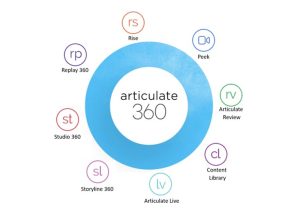
AI-powered tools in Storyline 360, iSpring, and Captivate accelerate slide creation, animations, and voice-over.
-
AI converts Word/PDF/PowerPoint documents into SCORM-compliant ELearning courses.
Voice-Over and Automatic Translation
-
AI Text-to-Speech generates natural voice narration for videos and courses.
-
Rapid translation and localization ensure content is accessible in multiple languages.
Training Analytics & Evaluation
-
Processes LMS data to analyze learner progress, scores, and time-on-task.
-
Automatically generates reports and suggests training improvements.
-
Helps HR and L&D assess the ROI of training programs.
3. Benefits for Enterprises
-
Time & Cost Savings: Significant reduction in course production time compared to traditional methods.
-
Improved Learning Effectiveness: Personalized content increases learner engagement and retention.
-
Enhanced Learning Experience: Automated voices, visuals, and videos make courses more engaging.
-
Optimized Management: Detailed analytics support accurate decision-making in training strategies.
-
Scalability: Easily produce large volumes of courses for multiple employee groups and branches.
4. FAQ – Frequently Asked Questions
1. Can AI completely replace ELearning designers?
→ No. AI accelerates and optimizes the process, but human expertise is still essential for reviewing, creating, and ensuring cultural relevance.
2. Do small businesses need AI in ELearning?
→ Yes. Even small enterprises benefit from AI thanks to its affordability, ease of implementation, and ability to save manpower.
3. Does AI in ELearning guarantee SCORM compliance?
→ AI mainly supports content creation. SCORM publishing depends on authoring tools (Storyline 360, iSpring, Captivate…). However, combining AI with SCORM ensures both speed and standardization.
4. What are some popular AI applications in ELearning today?
→ Popular platforms include Articulate Storyline (open API), iSpring AI Quiz Generator, Synthesia (AI video), WellSaid Labs (AI voice-over), and ChatGPT (content and script writing).
5. Conclusion
The application of AI in ELearning digitalization marks a significant breakthrough for enterprises, enabling fast, cost-effective, standardized, and personalized training. When combined with SCORM standards and LMS platforms, AI not only enhances learning effectiveness but also strengthens HR digital transformation strategies.
For businesses seeking to shorten course development time while elevating the employee learning experience, AI is an indispensable tool in the ELearning digitalization journey.