

1. What is iSpring?
iSpring Suite is a well-known authoring tool designed for rapid and easy ELearning course development. Its key strength lies in seamless integration with Microsoft PowerPoint, allowing users to transform presentations into SCORM, AICC, or xAPI-compliant online courses with just a few clicks.
With its user-friendly interface, iSpring is particularly suited for instructors, trainers, and enterprises that want to digitalize training content without complex programming skills.
2. Key Advantages of iSpring in ELearning Digitalization
PowerPoint Integration
-
Create courses directly in PowerPoint and publish them as professional ELearning content.
International Publishing Standards
-
Supports SCORM, xAPI, and AICC, ensuring compatibility with most LMS platforms such as Moodle, TalentLMS, Canvas, and Blackboard.
Quizzes and Assessments
-
Provides 14+ question types (multiple-choice, drag-and-drop, hotspot, etc.), enabling effective learner evaluation.
Video and Interactive Learning Elements
-
Supports screen recording, webcam capture, voice-over integration, and dialog simulations.
Cross-Platform Accessibility
-
Courses are optimized for desktops, tablets, and mobile devices.
3. Applications of iSpring in ELearning Course Design
-
Onboarding Training: Convert PowerPoint materials into SCORM courses with embedded quizzes.
-
Compliance Training: Build scenario-based courses with mandatory assessments.
-
Product/Service Training: Develop instructional videos and sales/customer service simulations.
-
Soft Skills Training: Create mini-games or interactive quizzes to practice communication and problem-solving.
4. Benefits for Enterprises
-
Time Savings: Reuse existing PowerPoint slides to reduce course production time.
-
Ease of Use: No programming skills required—accessible to all training staff.
-
Standardization: SCORM/xAPI compliance ensures stable performance across multiple LMS platforms.
-
Improved Learning Outcomes: Engaging multimedia content and interactive activities enhance retention.
-
Cost-Effectiveness: Suitable for both SMEs and large organizations, with scalable implementation.
5. FAQ – Frequently Asked Questions
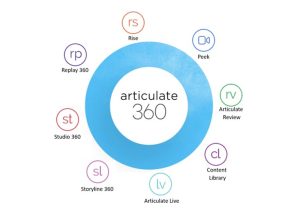
1. How does iSpring differ from Storyline 360?
→ iSpring is easier to use, especially for PowerPoint users, while Storyline 360 offers more advanced features and game customization.
2. Does iSpring support SCORM?
→ Yes. iSpring supports SCORM 1.2, SCORM 2004, xAPI, and AICC.
3. Can iSpring be used to create video-based lessons?
→ Yes. It allows screen recording, webcam video capture, and synchronization with PowerPoint slides.
4. Is iSpring suitable for small businesses?
→ Absolutely. Its simplicity, affordability, and LMS compatibility make it ideal for SMEs.
6. Conclusion
iSpring is a powerful digitalization tool that helps enterprises and educational institutions quickly convert training content into interactive, internationally standardized ELearning courses. With its ease of use, PowerPoint integration, and SCORM publishing capability, iSpring is the perfect choice for organizations seeking fast, cost-effective, and impactful online training solutions.
If your organization is looking for a reliable digitalization solution, iSpring is your trusted partner in building a modern ELearning ecosystem.